
Matters & milestones
See the progress of your matters, important dates and the next steps agreed with your team.
myMillcorn · iPhone
Your matters, documents and Millcorn team. Together, in one private workspace. Now on your iPhone.
For invited Millcorn clients. iOS 16.4 or later.
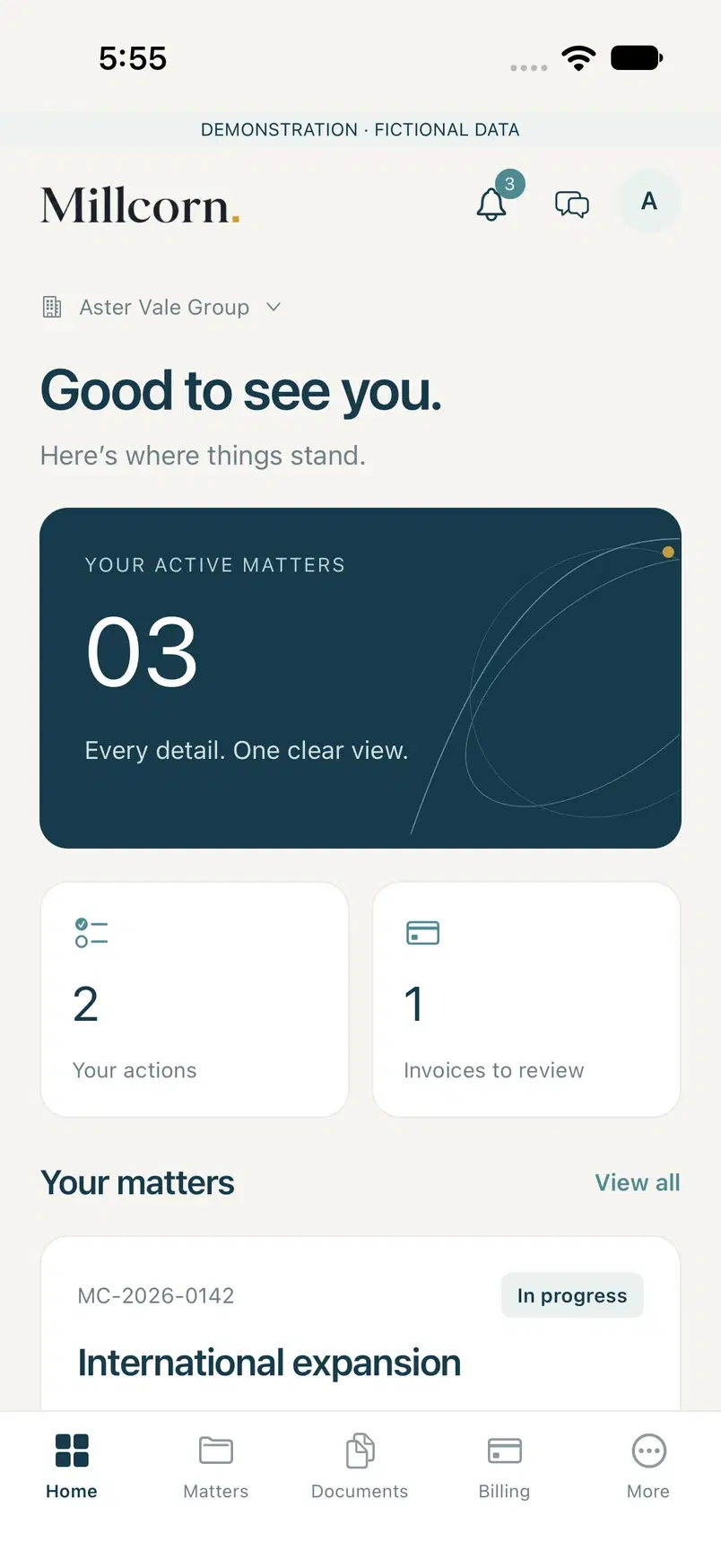
Built around your work
See the progress of your matters, important dates and the next steps agreed with your team.
Find the right file, share documents and respond to requests from your Millcorn team.
Keep your conversations with Millcorn together, alongside the work they relate to.
Review proposals, share your decision and pay invoices using the payment options offered.
Receive updates about messages, documents, requests and billing. Open the relevant item directly.
Switch between the accounts you have been invited to access, with the records and permissions for each.
One relationship. More ways to connect.
Use the same Millcorn account on the web and on your iPhone. Your workspace stays connected, so you can choose the screen that suits the moment.
Your Millcorn team invites you to the appropriate account. Available records and actions depend on your permissions.
Install myMillcorn from the App Store and sign in using the email address associated with your account.
Enable notifications for updates and optional Face ID or Touch ID for convenient device unlock.
myMillcorn
Download the iPhone app or continue in your browser.